Contents
Introduction
When an interactive reading pen experiences a liquid spill—whether water, juice, or milk—the immediate operational priority is physical safety and diagnostic verification, not software updating. Attempting to connect a moisture-compromised electronic device to a host computer via USB for a firmware update or audio packet synchronization creates severe risks of electrical short-circuiting, USB port corrosion, and permanent logic board failure. For B2B importers, educational distributors, and institutional buyers managing fleets of ReadGlo talking pens and interactive picture books, establishing a rigorous post-spill triage protocol is essential before initiating any firmware maintenance. This guide outlines professional procedures for evaluating device integrity, adhering to Consumer Product Safety Commission (CPSC) safety standards, verifying hardware components, and executing safe firmware updates only after all moisture and electrical hazards have been thoroughly mitigated.
Understanding Liquid Exposure Risks in Interactive Hardware
Why External Moisture Compromises Internal Electronics
Interactive reading pens integrate complex microcontrollers, optical CMOS camera sensors, flash memory storage, lithium-ion battery management systems, and micro-USB or Type-C interface ports. When liquid enters the chassis through seam gaps, microphone ports, speaker grills, or optical tip housings, conductive minerals and residual sugars can bridge microscopic circuits. Even after exterior surfaces appear dry, capillary action draws moisture deep into multi-layer printed circuit boards (PCBs). This trapped moisture accelerates electrochemical migration, leading to intermittent component failure, audio distortion, or complete power loss. Recognizing that internal drying requires extended time rather than immediate electronic engagement is the foundation of professional hardware maintenance.
The Dangers of Connecting Wet Devices to Host Computers
A common operational mistake in educational settings and distribution warehouses is immediately plugging a spilled-upon reading pen into a workstation or laptop to run a firmware update tool or refresh audio data (.bnk/.dat files). Introducing electrical current via a 5V USB bus while liquid or moisture film remains inside the casing bypasses internal circuit protection. This can cause immediate short-circuits across data lines (D+ and D-), destroying the primary microcontroller or frying the host computer's USB controller hub. Furthermore, attempting data synchronization or firmware flashing on an unstable, liquid-damaged storage controller frequently results in corrupted firmware partitions, rendering the device unbootable.
Immediate Post-Spill Inspection and Triage Protocol
Power Disconnection and Low-Risk External Examination
Upon discovering a liquid spill on or near an interactive reading pen, personnel must immediately power down the device if it is active. If the unit features a removable battery compartment (in legacy or specific battery-powered models), remove the cells immediately; for integrated lithium-ion rechargeable models, power off via the main power button and do not press any other buttons. Perform a low-risk external examination: inspect the outer casing for pooling liquid, check seam integrity, and gently blot all exterior surfaces with a lint-free, absorbent cloth. Never attempt to disassemble, pry open, or use compressed air on the device, as compressed air can drive surface moisture deeper into internal optical assemblies and microphone cavities, violating standard safety and warranty protocols.
Identifying Warning Signs: Heat, Swelling, and Odor
Safety evaluation requires careful sensory observation without direct physical risk. Inspect the pen for abnormal thermal output (casing feeling unusually warm when powered off), physical deformation, plastic warping, or battery swelling. Check for unusual chemical odors, melting plastic scents, or discoloration around the charging port and speaker mesh. According to Consumer Product Safety Commission (CPSC) safety guidance for electronic children's products, any device exhibiting thermal anomalies, battery bulging, internal rattling, or persistent smoke/odor must be taken out of service immediately, quarantined in a fireproof container, and prevented from charging or connecting to any power source.
Pre-Update Hardware Verification and Diagnostic Checks
Assessing USB Port Integrity and Optical Sensor Cleanliness
Before any firmware update tool can interact with the reading pen, the physical interface ports must undergo rigorous verification. Inspect the USB or Type-C port using a magnifying loupe and adequate lighting to check for pin oxidation, white mineral deposits, or residual liquid droplets. Similarly, examine the optical reading tip—the specialized camera lens surrounded by an LED ring that reads Optical Identification (OID) codes from interactive books. If liquid has penetrated the optical window, condensation will fog the internal lens, causing recognition failure. The pen must be stored in a controlled, low-humidity environment for a minimum of 48 to 72 hours of passive drying before any diagnostic connection is attempted.
Testing Mechanical Buttons and Audio Output Safely
Once passive drying is complete and all visual inspection criteria are satisfied, perform low-risk functional checks. Power on the device independently of any computer connection. Test the volume rocker, power switch, and mode selection buttons to ensure tactile feedback is crisp and responsive without sticking. Insert a standard, undamaged interactive ReadGlo picture book and test optical code reading and audio playback through the built-in speaker. If audio output is muffled, intermittent, or accompanied by static noise, internal speaker membrane damage is present, indicating that the device is unsuitable for classroom deployment or firmware updates until serviced by qualified technical personnel.
ReadGlo project support
Get a Quote
Explore ReadGlo's durable, splash-resistant interactive reading pen and picture book collections for your distribution network or educational institution.
Safe Firmware Update Procedures Following Environmental Incidents
Standardizing USB Data Transfer vs. Micro-SD Card Flashing
When a device has passed all external inspections, drying periods, and basic functional tests following a minor spill, firmware maintenance or audio file updating may proceed. ReadGlo interactive systems support two primary update methods: direct USB Mass Storage Mode connection and removable Micro-SD card flashing. For units that experienced liquid exposure, prefer removable Micro-SD card flashing where applicable, as it isolates the mainboard's USB controller interface. When using USB data transfer, ensure that certified, high-grade shielded cables are used, and verify that workstation USB ports are stable. Always back up existing root directories before copying new firmware bin files or OID book packages to prevent data fragmentation.
Verifying Audio Packet Integrity and OID Code Mapping
During firmware updates or book library expansions following an incident, data corruption risks remain elevated if internal flash memory suffered minor corrosion. After transferring new firmware packages or audio packets to the reading pen, execute a thorough verification protocol. Test sample pages across multiple interactive picture books to confirm that optical codes translate to correct audio tracks without latency, looping, or pitch distortion. If the device experiences freezing, boot loops, or unrecognized file system errors during the update process, halt execution immediately. Re-formatting the internal storage or forcing a secondary clean firmware flash should only be performed under the guidance of official manufacturer technical documentation.
B2B Quality Control and Procurement Considerations
Designing Splash-Resistant Casing and Sealed Optical Tips
For B2B buyers, distributors, and educational procurement directors, minimizing liquid spill vulnerability begins at the product specification stage. When sourcing interactive reading pens and talking books, specify units featuring ultrasonic-welded ABS plastic casings, waterproof internal nano-coatings on PCBs, and OID optical tips sealed with optical-grade silicone gaskets. These manufacturing standards prevent liquid ingress during typical early-childhood learning environments where spills from water bottles or juices are common. Procurement teams should request factory specification sheets detailing ingress protection (IP) testing parameters and drop-resistance metrics during sample review and pre-shipment inspection (PSI) phases.
Establishing Standard Operating Procedures (SOPs) for Educational Fleets
Educational institutions and large-scale distributors must establish documented Standard Operating Procedures (SOPs) for handling device accidents across classroom fleets. Staff training should mandate immediate quarantine of moisture-exposed units, strict adherence to mandatory drying windows, and prohibition of unauthorized hardware teardowns. Implementing a centralized device management log helps track which units have undergone environmental stress, ensuring that firmware updates and periodic maintenance are only applied to verified, fully operational hardware units, thereby protecting educational investments and ensuring consistent user experiences.
When to Quarantine and Escalate to Manufacturer Support
Criteria for Permanent Device Retirement and RMA Protocols
Not all reading pens subjected to liquid spills can or should be updated and restored to service. Procurement managers and IT administrators must establish clear thresholds for permanent device retirement. Units exhibiting persistent charging failures, internal battery swelling, motherboard corrosion, or recurring firmware corruption after drying must be removed from circulation permanently. Initiate formal Return Merchandise Authorization (RMA) or manufacturer escalation protocols when batch incidents occur, providing detailed incident documentation, environmental conditions, and batch serial numbers to ReadGlo's engineering support team for root-cause analysis.
Communicating Technical Specifications to Retailers and Importers
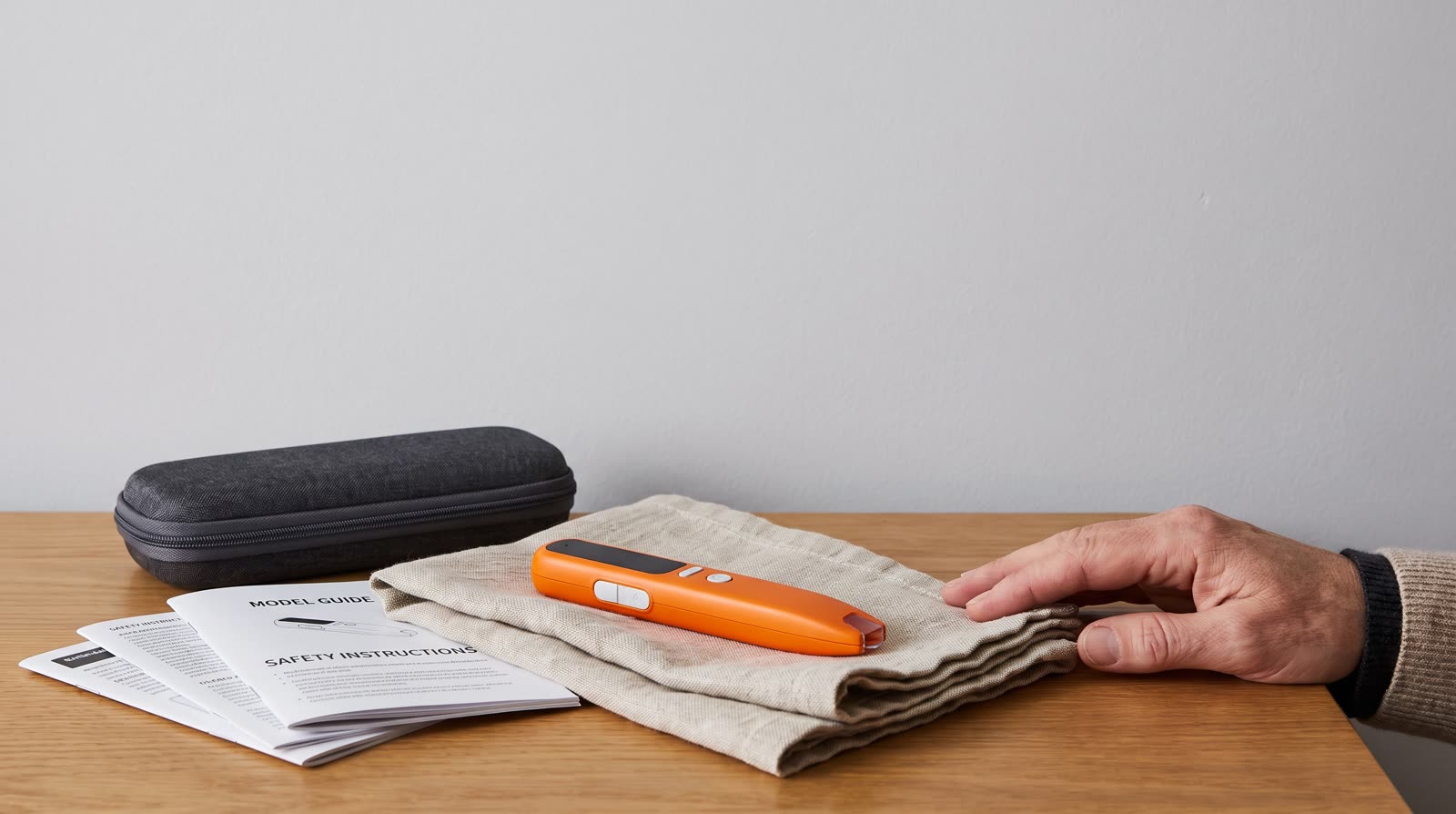
Importers and regional distributors must maintain clear communication channels with retail partners and end-users regarding proper device care and post-accident handling. Providing transparent user manuals, safety inserts, and troubleshooting guides aligned with Consumer Product Safety Commission (CPSC) standards reduces improper user interventions, such as oven-drying or microwave-drying electronic pens. Clear documentation reinforces brand reliability and ensures that end-users understand the precise boundaries between user-level maintenance and professional technical service.
Frequently Asked Questions
Can I use a hair dryer to speed up the drying process of a reading pen after a spill?
No. Using a hair dryer or external heat source is strongly discouraged. High heat can warp the ABS plastic casing, degrade internal lithium-ion battery seals, and drive moisture deeper into the optical sensor assembly and microphone ports. Always rely on passive drying in a well-ventilated, low-humidity area for at least 48 to 72 hours.
Is it safe to plug a reading pen into a computer USB port immediately after wiping off a liquid spill?
No. Even if the exterior casing appears completely dry, liquid frequently penetrates internal seams through capillary action. Connecting a wet device to a powered USB port risks electrical short-circuits, port corrosion, and permanent motherboard failure. Ensure complete internal drying and perform thorough external inspections before connecting any data cable.
What should I do if the reading pen powers on after a spill but fails to recognize interactive book OID codes?
Liquid residue or condensation on the optical camera tip lens will disrupt OID code recognition. Power off the device immediately, allow further passive drying, and gently inspect the optical window. If optical performance does not recover after thorough drying, contact ReadGlo technical support or qualified service channels for component evaluation.
How do CPSC guidelines apply to damaged electronic children's products?
According to Consumer Product Safety Commission (CPSC) guidelines, electronic children's products exhibiting structural damage, battery swelling, electrical shorts, or abnormal heating must be immediately removed from service, quarantined safely, and prevented from charging or connecting to power sources to eliminate electrical and fire hazards.
What B2B procurement specifications help prevent liquid damage in educational reading pens?
B2B buyers should specify units featuring ultrasonic-welded ABS housings, waterproof PCB nano-coatings, and OID optical tips sealed with silicone gaskets. Requesting IP-rated splash resistance and reviewing factory quality control documentation during sample evaluations significantly reduces long-term operational failure rates in institutional fleets.
Conclusion
Properly managing an interactive reading pen after a liquid spill requires strict adherence to safety protocols, methodical physical triage, and patience before attempting any firmware updates or data synchronization. By prioritizing device safety, following Consumer Product Safety Commission (CPSC) guidelines, and implementing robust B2B procurement and maintenance standards, educational institutions and distributors can protect hardware investments and ensure reliable learning experiences. For wholesale inquiries, custom educational catalog integration, and professional B2B partnership opportunities with ReadGlo, contact our technical and sales team today.
Continue your research
Related reading pen buyer guides
Use these related guides to compare the next product, content, sourcing or channel decision in your project.
- Product SupportB2B Operational Guide: Long-Term Storage and Safety Protocols for Children's Interactive Reading PensRead this guide
- Product SupportHow Do I Update a Reading Pen After Travel? A B2B Operational and Maintenance GuideRead this guide
- Product SupportComprehensive B2B Guide: How to Protect Children's Reading Pens During Long-Term StorageRead this guide
Continue with ReadGlo
See product specifications and request model-specific documentation.
ReadGlo project support
Send Your Requirements
Partner with ReadGlo for reliable, high-quality talking pen solutions and comprehensive B2B support tailored to your market needs.