Contents
Direct Answer: Choose the Input Route Before the Device Shape
Choose a coded-book talking pen for a proposed point-to-paired-audio interaction, a tablet for a specified screen-based experience, an audio player for a defined recording-selection task, and a text scanner for an ordinary-text recognition requirement that its supplier must substantiate. These are different routes, not interchangeable reading promises. ReadGlo's stated project scope concerns children's coded, paired-content products; it does not establish arbitrary-paper OCR, dynamic text-to-speech or automatic translation.
For publishers, importers, distributors, schools, retailers and private-label brands, the useful comparison is the complete user task: what material is available, how content is selected, what response is expected and who supports use. Charging and sound checks matter later, but they cannot tell you which category fits the material. A working pen demonstration on a prepared picture book does not answer a request to scan an unrelated textbook.
This guide keeps the original four-category selection task. Use it to decide which route deserves further investigation, then document the exact configuration before requesting technical work, samples or a quotation.
Which Input Material Must Be Used?
Start with the material that cannot change. If a publisher must retain finished ordinary print, say so before discussing devices. If a school can adopt a new paired edition, that is a different brief. Neither choice establishes feasibility; it defines the question the responsible supplier must answer.
### Coded touch points on a printed book or card
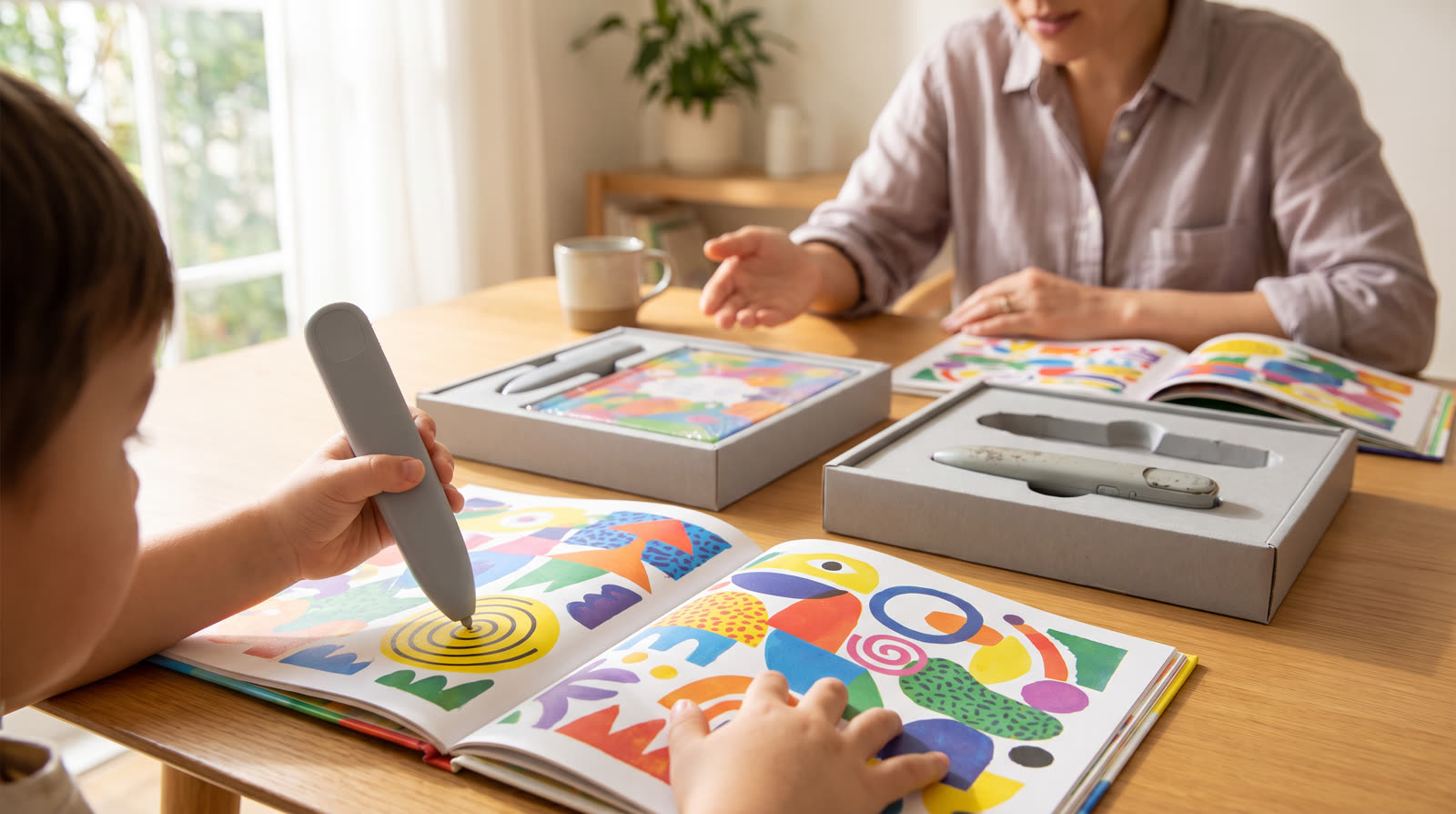
In this route, the intended interaction is a touch on a prepared region linked to paired content. The print, mapping, recording and device configuration belong together. The buyer should identify the edition and proposed response, such as a recorded word or story segment, without assuming that every visible word has a separate audio target. Prepared picture books and cards are not evidence that a pen recognizes ordinary text.
### Content presented through a screen
A tablet route starts with a specified application or screen-based content package. Ask how a user reaches the required activity and which device and software version are involved. Connectivity, accounts, updates and offline use are requirements to verify for that particular proposal, not universal tablet characteristics and not implied ReadGlo services. If the material must remain on paper, explain how the screen is expected to relate to it.
### A selected audio file or recording
An audio-player route starts with the recording and its selection method. The buyer might need a named story track rather than a response from a particular printed region. Establish how the user finds, starts, stops and resumes the intended recording. Do not assume that a general audio player identifies a book page, follows a printed word or includes the publisher's recordings.
### Ordinary printed text for recognition
A scanner route starts with a requirement to recognize ordinary print. Any requested spoken output, supported language or translation must be verified against the named third-party system and the buyer's representative material. A pen-shaped housing does not establish these functions. Keep this category separate from the coded-book route rather than describing recognition as a setting that can simply be enabled on a talking pen.
If two materials are essential, write two tasks. A request combining a prepared storybook activity with open-text scanning needs separate evidence for each route; one demonstration cannot cover both.
Four-Category Buyer Matrix: Record the Route, Not a Feature Ranking
| Route and input | Content relationship | Expected user action | Supervision and setting | Version, instructions and evidence boundary |
|---|---|---|---|---|
| Coded-book talking pen: name the prepared book/card edition. | Name the paired regions, map and recording package. | Specify the touch and expected paired audio. | Record adult help, page handling and listening conditions. | Name device/build, language and guide; observations cover only the identified pairing. |
| Tablet: name the screen material and proposed application. | Identify content package, permitted assets and access dependencies. | Specify navigation and the required screen response. | Record supervision, setup and available connectivity if required. | Name hardware/software and language; do not infer offline, account or update provisions. |
| Audio player: name the recording files or supplied medium. | Identify track list, rights and proposed selection method. | Specify finding and playing the intended recording. | Record shared listening, adult assistance and storage routine. | Name device/file versions and guide; playback does not establish page or word recognition. |
| Text scanner: name representative ordinary printed material. | Ask the supplier to identify the recognition and requested output route. | Specify the text-selection task and output to be verified. | Record handling, layout and assistance needed for the proposed use. | Name system/language and permitted test material; recognition or translation remains unconfirmed until evidenced. |
Fill-in four-category route matrix — questions to complete, not test results
Swipe horizontally to view all columns.
Use the matrix below as a fill-in discussion record. Replace each prompt with the proposed configuration, or mark it "To be confirmed". The entries describe procurement questions, not tested products, recommendations or relative performance. There is no overall winner without a defined task.
Keep the input material and content relationship separate from the desired output. "Audio" alone is not enough: audio triggered by a prepared page region, audio selected from a file list and speech requested from recognized text represent different dependencies. A language label also needs a version reference; it does not establish what the user can actually select or hear.
Finish with one of three decisions: investigate this route, revise the task, or refer it to a different category. Do not award points for an unverified function. If a requirement is essential and remains unanswered, retain it as an open gate rather than treating it as an available option.
Which Use Conditions Could Change the Category Decision?
Compare the full activity, not a staged moment when an adult has already opened the right page or selected the correct file. Record the starting state, setup help, intended action, recovery from a wrong selection and how the session ends. This reveals whether the proposed route matches the buyer's setting.
### Supervision and handling
Describe who chooses the material, explains the controls and notices an incorrect response. For a shared classroom set, include distribution, return and storage; for a retail demonstration, include what staff must explain about included content. Intended age guidance and safe handling need review for the final SKU and market. A compact device is not automatically appropriate for unsupervised use.
### Listening and access conditions
State whether the activity uses shared sound or requires another listening arrangement. Speaker controls, headphones, wireless output and accessories are configuration questions, not promises derived from the category. Likewise, record an offline requirement separately from what has been demonstrated. For any screen proposal, ask whether its documented task depends on accounts or connectivity; do not presume those dependencies are present or absent.
### Support burden
Ask who can identify a wrong book, recording, language or version and explain the next permitted step. Include first-use instructions and the support owner in the comparison. Check charging and playback only where relevant to the named device and its instructions. This is not a fault-repair guide: unexplained symptoms belong in a configuration-specific support review, not in claims that one category is inherently more reliable.
Which Portable Tutor or Assistive Expectations Need Another Route?

Some briefs use "portable reading tutor" or "reading assist pen" as shorthand for several expectations. Resolve the task without turning those labels into ReadGlo product claims. Portability describes a carrying or use requirement; it does not establish tutoring, recognition, accessibility or learning outcomes.
If the task is to touch a prepared children's page and hear its paired recording, investigate the coded-content route. If it is to recognize an unrelated textbook, request evidence from the appropriate text-scanning category. If it is to assess a child's spoken answer, provide individualized feedback or translate newly encountered text, document those as separate requested functions. They are not established by a recorded-audio demonstration or by the word "smart" in a product name.
An assistive-use brief also needs a defined user need, setting and qualified review. Do not present a children's paired-content pen as a medical device, a treatment, a device established as suitable for blind users or a substitute for individualized support. A pleasant listening experience is not evidence of a clinical benefit.
For examinations, the relevant institution must determine whether a particular device and use are permitted under its applicable rules. This guide provides no exam authorization. If clinical suitability or examination use is the essential requirement, leave the children's coded-content procurement route unless an appropriate, separately evidenced category can answer that requirement.
ReadGlo project support
Build Your Book–Device Pairing Register
After completing the matrix, take an appropriate children's coded-content project to the compatibility page's existing pairing register and inquiry form. Record non-confidential book, device and content references, with unknown details marked to be confirmed. Entries remain Not assessed; the tool does not test or approve compatibility, and any technical work or sample requires separate scope confirmation.
Open the related procurement routeWhat Should a Sample Record, and What Should It Not Prove?
A sample comparison should answer a bounded question about named materials. Agree that question before selecting demonstrations, so that the easiest available sample does not silently replace the buyer's actual task. Keep expected behavior, observed behavior and unreviewed areas in separate fields.
### Name the configuration and material
Record the sample reference, available model/build information, supplied accessories and instructions. For a coded-book route, identify print edition, selected regions, language and content package. For a screen route, identify the application and screen content version. For a player, identify the files and track references. For a scanner, identify permitted representative pages and the requested recognition or output task. Unknown details remain unknown; do not fill them from a similar catalogue image.
### Write an observation that another reviewer can understand
State the starting condition, user action, expected response, observed response, assistance and setting. For example, a proposed coded-page check can name the exact region and intended recording. A later observation should say what occurred there, rather than "reads books successfully". That wording keeps a local result from becoming a claim about every page, edition or language. This is an illustrative recording method, not a report of a ReadGlo test.
### Keep gaps alongside successful observations
List unreviewed pages, alternate versions, unsupported output requests and unresolved setup dependencies. Distinguish a missing instruction from a feature request or an observed mismatch. Identify the evidence owner and next question. A short session may help choose which route to investigate, but it does not establish durability, battery life, defect rate, accessibility, educational effectiveness or production consistency.
### Separate the next decisions
Category selection, technical feasibility, any agreed sample work, content sign-off and commercial release are different decisions. Success in one does not authorize the others. A demonstration does not prove examination permission, clinical suitability or final-market readiness. CPSC children's-product guidance and IATA battery guidance are useful background for the responsible review, not evidence that the demonstrated device is approved.
After the comparison, retain only conclusions supported by its scope. Name changes that require reconsideration, such as a new printed edition, audio revision, device build, application version or intended use. The record should make the next evidence request clearer, not convert preliminary discussion into a purchase commitment.
Keep Content, Language and Rights Inside the Route Decision
The category decision also determines which assets must be available. A coded-book proposal needs the relevant print and paired-content relationship; an audio-player proposal needs an authorized recording selection; a screen proposal needs its specified content and access arrangement. Recognition of supplied print, where requested from a scanner supplier, does not settle permissions for reuse or distribution.
Record language at the level of the actual task: printed edition, recording, interface, instructions and any separately requested output. A bilingual book does not establish automatic translation, and two available recordings do not establish dynamic speech generation. Ask what is included in the named proposal and what would require another content version.
For applicable text, translation, illustrations, layout, performance and recording assets, identify the rightsholder, territory, medium, language, term, attribution and written permission. These may involve different parties. Ownership of a physical book or an online recording does not by itself establish all project permissions. WIPO's copyright FAQ provides general background; it grants no rights to the buyer or supplier.
Keep technical access separate from asset rights. A buyer-owned third-party pen does not confer proprietary firmware or code-table access. Do not assume that an existing book can be retrofitted, recordings can be migrated or a requested engineering service is available. Identify permitted evidence and ask what scope can be considered before sharing confidential files.
Hand Over the Category Decision Without Repeating the Technical Guides
Prepare a short handover containing the essential material, intended action, preferred route, named references, rejected assumptions and remaining questions. Assign an owner to each unresolved dependency. If the route still cannot meet an essential requirement, explain why further category review is needed rather than forcing the brief into a children's pen project.
For naming questions, use the talking pen vs reading pen comparison. For the prepared-print system's technical boundaries, continue with the OID project guide. Those resources serve different questions; this article's job is to choose between input and workflow routes, not to reproduce their definitions or technical detail.
When a coded-book route remains appropriate, use the book–device compatibility page to record a specific pairing. Its register organizes buyer-supplied references and keeps entries "Not assessed". It does not test the device, approve compatibility or commit ReadGlo to samples, services or production.
Frequently Asked Questions
1. Can a talking pen read arbitrary textbooks?
Not on the basis of a coded-book talking-pen proposal. Prepared touch regions and paired recordings are different from recognizing ordinary textbook print. Name the actual textbook material and requested response; an open-text requirement belongs in a separately verified scanner-category review. Do not assume a ReadGlo paired-content device provides arbitrary-paper OCR, dynamic text-to-speech or automatic translation.
2. Is a reading assist pen always a coded-book talking pen?
No. The label alone does not identify the input route, content relationship or intended user setting. Ask whether the task uses prepared regions, a screen, selected recordings or ordinary text for recognition. Any assistive suitability needs its own defined requirements and appropriate evidence; it is not established by the pen's shape or by children's audio playback.
3. What limitations should buyers record before evaluating a portable reading tutor?
Record the required material, expected action, language, supervision, setup, listening arrangement and version references. Mark unverified functions and unreviewed conditions explicitly. Distinguish recorded content from requested recognition, assessment or individualized feedback. Portability does not establish tutoring effectiveness, accessory availability or independent use, and this label does not expand ReadGlo's stated children's coded-content scope.
4. Does a device demonstration prove exam or clinical suitability?
No. It can record only the identified actions and observations under its stated conditions. Examination permission belongs to the relevant institution's review; clinical suitability requires appropriate assessment and evidence. Neither follows from a successful audio response. Keep those decisions separate from route selection, sample discussion and any later commercial agreement.
Conclusion: Select the Route, Then Verify the Named System
The strongest four-category comparison starts with what the user must work with: prepared coded print, screen content, selected recordings or ordinary text requiring recognition. It then checks the content relationship, action, supervision and evidence needed for that route. Device shape, a feature label or one successful demonstration cannot replace those decisions.
For an appropriate children's coded-content project, retain the exact proposed book, device and content references before approaching ReadGlo. Keep missing permissions, configuration details and requested services visible. Any quotation, included items, MOQ, timing, warranty, sample work or release decision needs separate written confirmation.
Final safety, labeling, battery and transport questions depend on the actual SKU, intended age, destination and shipping route. Assign them to the responsible reviewers rather than treating the category matrix as approval. A clear comparison should narrow the next question and prevent the wrong product promise.
Further Reading and Evidence Boundaries
WIPO: Copyright FAQ provides general copyright and related-rights background; permissions for project assets remain separately required.
CPSC: Children's Products provides US planning context for the responsible children's-product review, not certification of a ReadGlo device or suitability for a particular child.
IATA: Lithium Batteries provides battery air-transport background. Applicability must be reviewed for the final battery configuration and route; this article does not establish shipment acceptance.
Continue your research
Related reading pen buyer guides
Use these related guides to compare the next product, content, sourcing or channel decision in your project.
- Buyer GuideHow Can a Brand Maintain an Evidence Trail for a Reading-Pen Reorder?Read this guide
- Sourcing & LogisticsWhat Should an Importer Record When an Interactive-Book Component Is Replaced?Read this guide
- Buyer GuideHow Can Buyers Reconcile Pen, Book, Content and Carton Lines Before Releasing a Talking-Pen Purchase Order?Read this guide
Continue with ReadGlo
See product specifications and request model-specific documentation.
ReadGlo project support
Email the Route Summary
Send a non-confidential summary of the selected route, proposed edition/device/content references, target market and unresolved questions to info@readglo.com. Use this next step only for an appropriate ReadGlo children's coded-content project. Feasibility, permitted evidence, available services, samples, quotations and release responsibilities require separate written confirmation. Do not send proprietary files or children's personal data.
Open the related procurement route