Contents
Introduction
When accidental liquid spills occur during interactive reading sessions in classrooms, libraries, or home environments, immediate and proper handling is essential to safeguard electronic components, maintain optical sensor accuracy, and ensure child safety. Interactive reading pens combine sensitive optical CMOS sensors, micro-speakers, rechargeable lithium-ion battery cells, and microprocessors within a compact handheld housing. When exposed to water, juice, milk, or other fluids, improper cleaning methods—such as aggressive shaking, thermal drying, or unauthorized disassembly—can permanently damage internal circuitry or create electrical hazards. This comprehensive guide outlines professional, safety-first protocols for educational institutions, retail distributors, and institutional buyers partnering with ReadGlo. By following standardized external decontamination procedures, recognizing critical safety boundaries, and adhering to guidelines established by the Consumer Product Safety Commission (CPSC) and educational authorities, stakeholders can maximize device longevity while maintaining rigorous safety standards.
Understanding Electronic Vulnerabilities and Safety Boundaries in Interactive Reading Pens
The Anatomy of a Talking Pen: Optical Sensors, Speaker Grilles, and Charging Ports
Interactive reading pens feature specialized internal architecture designed for optical code recognition and audio playback. At the core of each device is an optical sensor tip that reads invisible micro-dot patterns embedded in interactive book pages. Adjacent components include speaker grilles for audio output, micro-USB or Type-C charging ports, microphone openings, and internal lithium-ion battery packs. Understanding this layout is vital for maintenance personnel and educators, as different entry points present varying risks during a liquid spill. For instance, while outer casings are engineered to resist minor splashes, optical apertures, charging ports, and acoustic grilles represent vulnerable ingress pathways where liquid can penetrate internal circuit boards.
Critical Safety First: Why Disassembly and Harsh Solvents Must Be Avoided
A common reaction to liquid ingress is attempting to disassemble the device casing using screwdrivers or prying tools to dry internal parts. However, unauthorized disassembly voids warranties, compromises structural integrity, and introduces severe safety risks—particularly regarding internal battery puncture or short-circuiting. Furthermore, harsh chemical solvents, industrial degreasers, acetone, or abrasive scrubbers must never be used on plastic housings or optical lenses. These chemicals degrade outer plastics, scratch optical sensor windows, and can release toxic residues harmful to children. Maintenance protocols must strictly rely on mild, non-abrasive external cleaning agents and professional service channels when internal contamination is suspected.
Recognizing Signs of Internal Moisture Damage or Battery Compromise
Safety compliance requires educators and facility managers to monitor devices continuously for signs of acute moisture damage or battery degradation. In accordance with guidelines from the Consumer Product Safety Commission (CPSC), if a reading pen has been subjected to heavy liquid ingress, drop impact, or abnormal electrical behavior, operators must immediately cease use. Warning signs include failure to power on, intermittent charging failure, unusual warmth during operation or charging, battery swelling, plastic casing deformation, chemical odors, or smoke emission. Devices exhibiting these symptoms must not be charged or operated under any circumstances, and administrators should immediately isolate the unit and contact the manufacturer or qualified service channels for proper handling.
Step-by-Step Emergency Response Protocol Following an Accidental Liquid Spill
Immediate Action: Powering Down and Isolating the Device
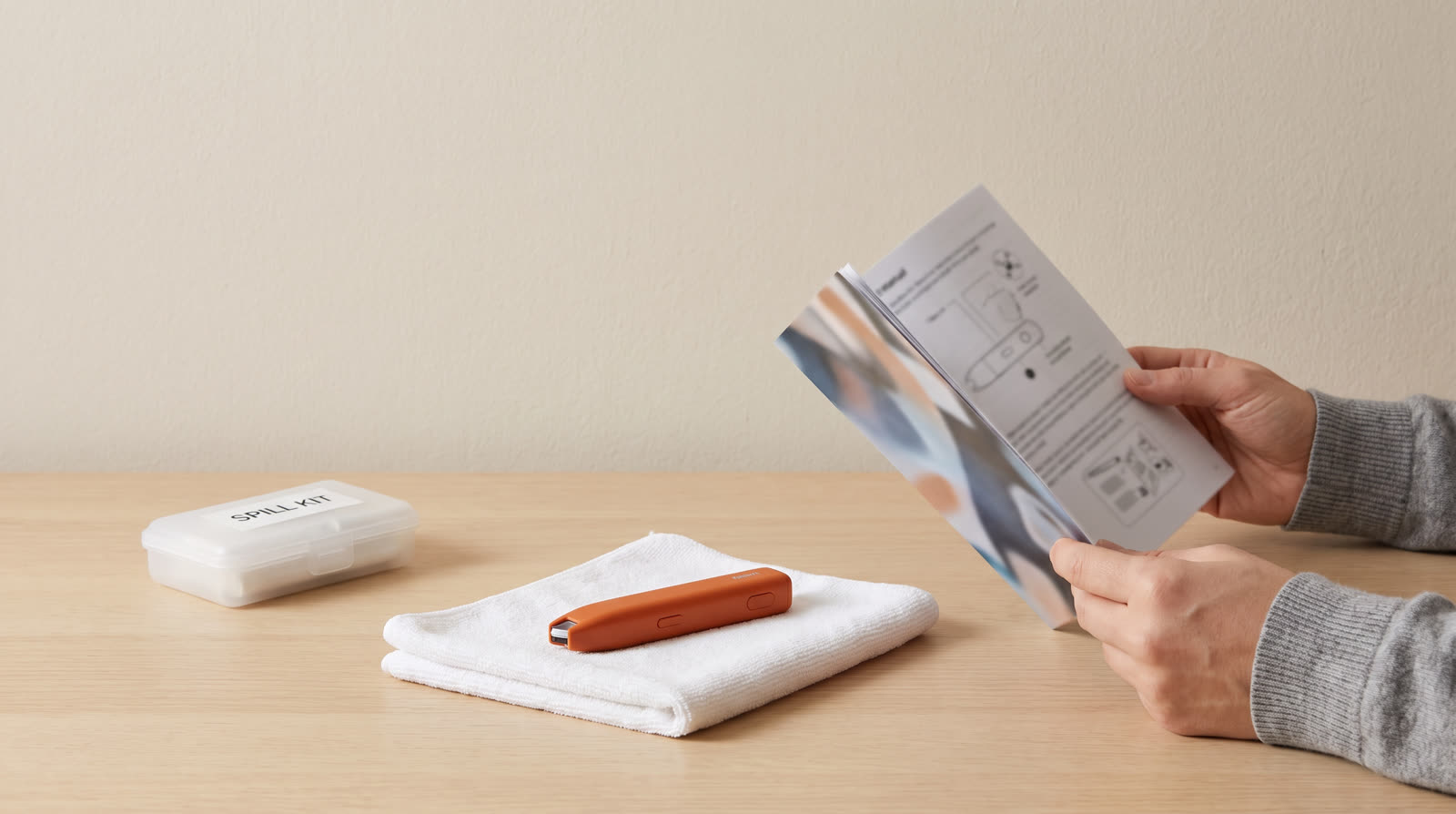
The moment a liquid spill occurs on or near an interactive reading pen, rapid intervention minimizes internal damage. Operators must immediately remove the pen from the charging cable if plugged in, and hold the power button to shut down the device completely. Do not attempt to test audio playback or scan book pages while wet, as active electrical currents accelerate electrolytic corrosion and short-circuitry across circuit traces. Gently pick up the device, position it with optical tip and ports facing downward to encourage gravity drainage of surface liquid, and place it on a clean, absorbent microfiber cloth in a well-ventilated area at room temperature.
Safe External Drying and Gentle Surface Decontamination
Once external fluid has been blotted away using lint-free absorbent materials, surface decontamination can proceed. Dampen—do not soak—a clean microfiber cloth with a solution of 70% isopropyl alcohol or mild, neutral soap water. Gently wipe down the outer casing, grip areas, and control buttons to remove sticky residues from sugary drinks or milk. Ensure that no excess liquid drips into the optical sensor aperture, speaker grille, or charging port. For tight crevices, use dry cotton swabs very carefully without applying pressure that could push moisture inward. Allow the device to air-dry completely for a minimum of 24 to 48 hours in a dry, room-temperature environment before attempting any functional testing.
Inspecting Optical Tips and Audio Output Grilles Without Disassembly
After the complete drying period, inspect vulnerable external zones visually and tactilely. Examine the optical sensor lens using a magnifying glass or bright light to ensure no residue, film, or trapped moisture obscures the reading camera. Check the speaker and microphone grilles for muffled acoustic buildup or crusting. If sticky residue persists around buttons or seams, clean lightly with a dry or barely damp cotton swab. Never insert needles, pins, or rigid metallic probes into charging ports, headphone jacks, or optical apertures. If optical scanning remains erratic or audio output is distorted after thorough external cleaning, the device should be marked for professional evaluation rather than forced repair.
ReadGlo project support
Get a Quote
Looking for durable, child-safe interactive reading systems for your educational catalog or school district? Request our product catalog and bulk partnership details today.
Preventive Maintenance and Storage Best Practices for Educational and Retail Environments
Establishing Routine Hygiene Protocols for Shared Classroom Devices
Preventive maintenance significantly reduces the frequency and severity of spill-related incidents in high-traffic educational settings. Schools and institutional buyers should establish structured daily and weekly hygiene routines. Staff members should wipe down reading pen casings with approved disinfectant wipes that are free of bleach and harsh solvents, ensuring moisture does not pool around ports. Establishing designated 'safe zones' for food and beverages away from reading tables, interactive book sets, and electronic pens prevents accidental spills before they occur. Training young learners to handle devices with clean, dry hands further extends operational lifecycles.
Safe Charging Practices and Avoiding Residual Moisture Hazards
Charging infrastructure represents a critical control point for electrical safety. Before connecting any reading pen to a charging dock, USB hub, or power adapter, operators must visually inspect both the device charging port and the cable connector for dust, debris, or residual moisture. Connecting power to a damp port can cause micro-arc tracking and permanent circuit board failure. Facilities should utilize certified 5V DC charging adapters and approved multi-port charging stations equipped with surge protection. Furthermore, pens should never be left charging overnight in unmonitored rooms or stored inside enclosed charging cabinets without adequate ventilation.
When to Escalate to Manufacturer Support or Qualified Service Channels
While routine external cleaning resolves most minor spill incidents, facility managers and retail partners must recognize when professional escalation is required. If a device exhibits persistent functional failure, internal rattling, erratic charging behavior, or thermal abnormalities following a spill, attempting further local troubleshooting is discouraged. Institutional buyers should maintain clear communication channels with ReadGlo customer support or authorized technical service partners. Reviewing warranty documentation, batch tracking records, and RMA procedures ensures that damaged units are handled in compliance with safety regulations and industry best practices.
B2B Operational Guidelines: Equipping Educators and Retailers with Maintenance Best Practices
Providing Clear End-User Documentation and Care Instructions
B2B distributors and educational publishers play a pivotal role in ensuring end-user success by supplying comprehensive, multi-language instruction manuals and digital care guides. Including explicit cleaning protocols, spill response steps, and safety warnings within product packaging minimizes user error and reduces premature product returns. Retailers and institutional suppliers can leverage these resources as value-added services, demonstrating commitment to product durability, user safety, and long-term educational value across international markets.
Implementing Quality Control and Return Merchandise Authorization (RMA) Protocols
For B2B buyers managing large fleets of interactive reading pens across school districts or retail chains, standardized operational workflows are indispensable. Establishing clear Return Merchandise Authorization (RMA) tracking systems helps categorize product returns—distinguishing between user-induced liquid damage, normal wear and tear, and manufacturing inquiries. Collaborating closely with manufacturing partners on quality feedback loops allows continuous improvement in moisture resistance, ergonomic sealing, and port protection in future product generations.
Partnering with ReadGlo for Durable, Child-Safe Interactive Learning Solutions
ReadGlo remains committed to supporting educational institutions, publishers, and global distributors with robust, child-safe interactive reading technology. By prioritizing high-grade durable plastics, sealed acoustic chambers, and stringent compliance with international safety standards, ReadGlo products are engineered to withstand the rigors of dynamic learning environments. B2B partners seeking customized product catalogs, bulk maintenance documentation, or tailored partnership inquiries are encouraged to connect with our technical and commercial support teams.
Frequently Asked Questions
What is the very first thing I should do if liquid spills directly onto a reading pen?
Immediately disconnect the pen from any charging cable if plugged in, press and hold the power button to shut it down completely, and gently wipe away surface liquid with an absorbent cloth. Position the pen with ports facing downward to drain excess fluid and let it air-dry for at least 24-48 hours before testing.
Can I use hair dryers or heating equipment to dry a wet reading pen quickly?
No. Never use hair dryers, microwave ovens, or direct heat sources to dry electronic reading pens. Excessive heat warps plastic housings, damages internal battery cells, and pushes moisture deeper into delicate optical sensors and microprocessors.
Is it safe to disassemble the reading pen casing to clean inside after a severe spill?
No. Users and maintenance staff must never attempt to disassemble reading pen casings. Unauthorized disassembly voids warranties, compromises structural safety, and risks puncturing internal lithium-ion batteries or damaging delicate circuitry.
What cleaning agents are safe to use on interactive reading pens and talking books?
Use a soft, lint-free microfiber cloth slightly dampened with 70% isopropyl alcohol or mild, neutral soapy water. Avoid harsh chemical solvents, bleach, industrial degreasers, or abrasive scouring pads that can damage outer coatings and optical lenses.
When should a spilled-upon reading pen be taken out of service permanently?
According to CPSC safety guidelines, immediately take the device out of service and stop charging if you observe battery swelling, plastic deformation, unusual warmth, persistent electrical failure, chemical odors, or smoke emission following a spill.
Where can educators and parents find authoritative safety and early literacy guidelines?
Reliable safety and product guidelines are available through the U.S. Consumer Product Safety Commission (CPSC) at https://www.cpsc.gov/Business--Manufacturing/Business-Education/Childrens-Products, while content creation standards can be referenced at Google Search Central (https://developers.google.com/search/docs/fundamentals/creating-helpful-content).
Conclusion
Proper management of accidental liquid spills on interactive reading pens is vital for preserving device functionality, ensuring classroom safety, and maximizing educational investments. By implementing immediate power-down procedures, utilizing gentle external decontamination methods with 70% isopropyl alcohol, avoiding unauthorized disassembly, and adhering strictly to CPSC safety guidelines regarding battery and moisture hazards, educators, parents, and B2B partners can maintain optimal device reliability. As interactive audio technology continues to enrich early childhood learning, establishing rigorous care and maintenance protocols ensures safe, enduring, and impactful educational experiences across global markets.
Continue your research
Related reading pen buyer guides
Use these related guides to compare the next product, content, sourcing or channel decision in your project.
- Product SupportB2B Operational Guide: Long-Term Storage and Safety Protocols for Children's Interactive Reading PensRead this guide
- Product SupportHow Do I Clean a Reading Pen After Travel? Professional Maintenance and Safety GuideRead this guide
- Product SupportComprehensive B2B Guide: How to Protect Children's Reading Pens During Long-Term StorageRead this guide
Continue with ReadGlo
See product specifications and request model-specific documentation.
ReadGlo project support
Contact Us
Partner with ReadGlo for reliable talking pens and interactive books engineered for longevity and safety. Send your requirements to our commercial team today.