
Contents
Introduction
Portable educational technology, such as interactive talking pens and multi-sensor reading devices, represents a cornerstone of modern early childhood learning and bilingual literacy development. When families embark on travel, school trips, or daily commutes, these compact learning tools are frequently packed into backpacks, travel pouches, and car storage compartments alongside snacks, books, and miscellaneous gear. Consequently, returning from travel often reveals an accumulation of microscopic dust, pocket lint, skin oils, food residue, and environmental grime—particularly around optical sensor tips, tactile button seams, microphone grilles, and charging ports. For B2B distributors, wholesale buyers, educational institutions, and retail partners, establishing a rigorous, standardized, and low-risk cleaning protocol is vital for preserving hardware durability, ensuring optical reading precision, and maintaining hygiene standards. This comprehensive guide details step-by-step post-travel maintenance procedures, emphasizing non-destructive exterior cleaning, optical sensor preservation, battery safety inspections, and standard operating procedures (SOPs) for commercial and educational deployment. Grounded in authoritative frameworks from the Consumer Product Safety Commission (CPSC) and Google content quality standards, this manual provides actionable, practical insights without advocating for unauthorized device disassembly or unverified chemical treatments.
1. Understanding Post-Travel Contamination and Environmental Stressors
Dust, Lint, and Pocket Particulates in Mobile Learning Environments
When electronic learning devices travel outside the climate-controlled confines of classrooms or home study spaces, they are subjected to varied micro-environments. Backpacks, canvas book bags, and storage pouches harbor fabric micro-fibers, paper dust from talking picture books, crumbs, and airborne particulates. These contaminants readily adhere to the matte or gloss plastic casing of a reading pen, settling into mechanical button crevices, speaker meshes, and USB ports. In B2B quality assurance evaluations, distributors frequently note that accumulated pocket lint is a primary cause of minor mechanical sticking and acoustic muffling in returned or demo units. Proactive post-travel cleaning ensures that physical build-up does not compromise tactile feedback or long-term component reliability.
Humidity, Condensation, and Temperature Fluctuations During Transit
Modern travel frequently involves rapid transitions between thermal extremes—such as moving from air-conditioned vehicles and aircraft cabins into humid outdoor environments or unconditioned storage areas. These rapid temperature shifts can induce microscopic condensation on outer casings and internal electrical contacts. Moisture ingress poses a latent risk to electronic circuitry and optical sensors if units are powered on immediately after transit without proper acclimatization and inspection. Wholesale partners and educational coordinators must train end-users to inspect devices for moisture droplets before initiating charging cycles or audio playback sessions.
2. Step-by-Step Safe Exterior Cleaning Protocols for B2B and Home Use
Preparing the Maintenance Workspace and Ensuring Electrical Safety
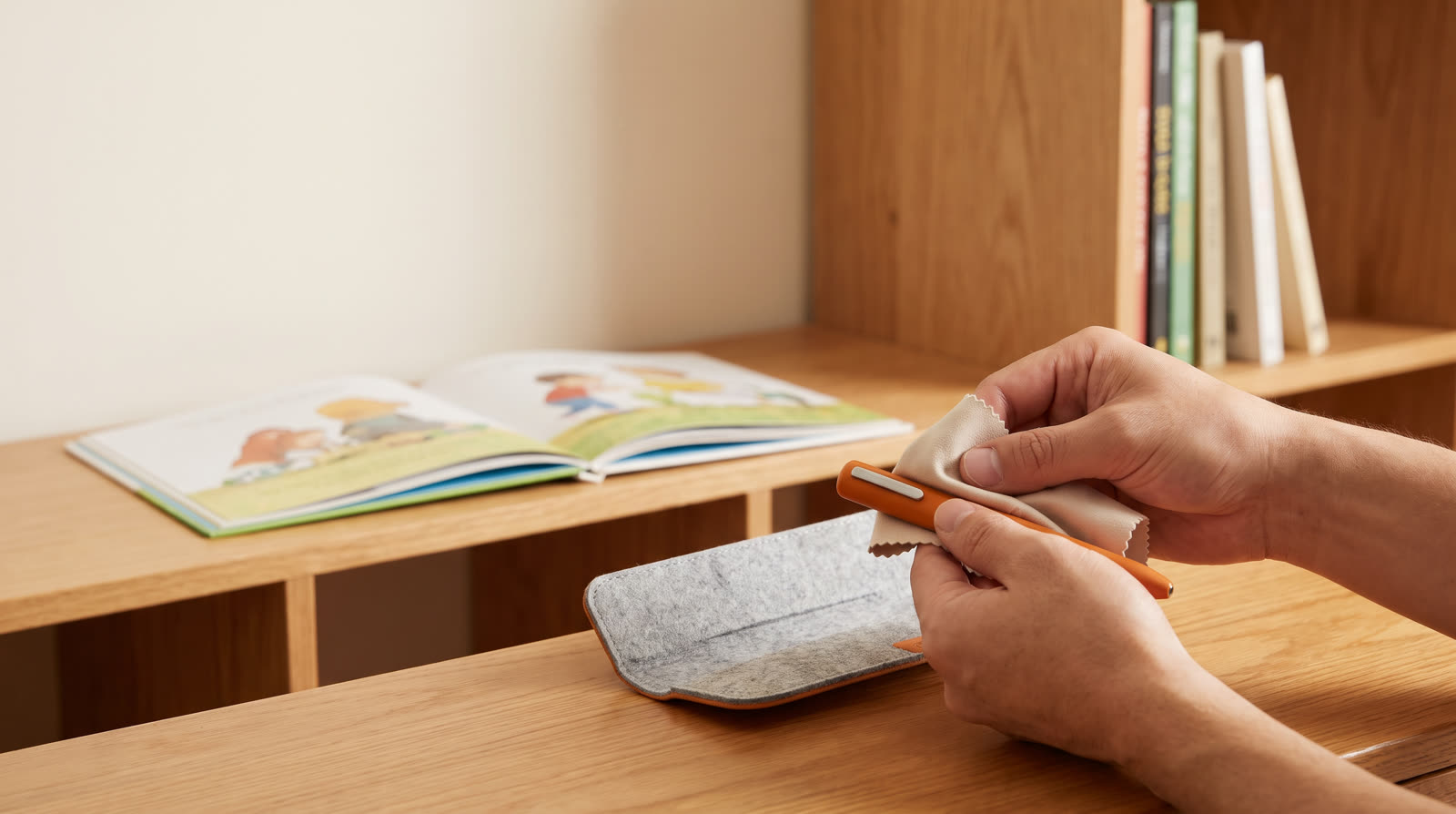
Before commencing any cleaning or hygiene maintenance on an interactive reading pen, standard operational safety mandates that the device must be completely powered down. Disconnect any attached USB charging cables, headphones, or external lanyards. Establish a clean, well-lit, static-free workspace on a stable table surface. Gather specialized cleaning supplies strictly limited to a clean, lint-free microfiber cleaning cloth, a dilute 70% isopropyl alcohol solution, and soft-tipped cotton swabs. Never spray liquids directly onto the device housing; instead, apply a minimal amount of the alcohol solution directly to the microfiber cloth to prevent liquid seepage into internal chambers.
Sanitizing Casing Surfaces, Silicone Grips, and Mechanical Buttons
Children's reading pens feature diverse ergonomic finishes, including soft-touch rubberized coatings, food-grade silicone protective sleeves, and anti-scratch molded plastics. During travel, these surfaces accumulate natural hand oils and environmental pathogens. Gently wipe down the entire outer housing using the damp microfiber cloth, paying careful attention to recessed button perimeters and grip grooves. For removable silicone sleeves, detach the component and wash it separately with mild dish soap and warm water, ensuring it is 100% dry before re-installation. Under no circumstances should the core electronic unit be submerged in water, placed under running taps, or exposed to high-pressure air compressors.
Low-Risk External Maintenance vs. Absolute Prohibition of Disassembly
A foundational rule in electronic hardware maintenance and B2B warranty administration is the strict demarcation between external care and internal servicing. Users, educators, and retail technicians must never attempt to unscrew, pry open, or disassemble the reading pen casing. Internal assemblies—housing lithium-ion battery cells, microprocessors, speaker wiring, and optical readers—are exceptionally delicate. Unauthorized disassembly risks short-circuits, battery punctures, electrical shock, and immediate voidance of manufacturer warranties. All internal repairs must be deferred to authorized service centers.
3. Precision Care for Optical Sensors and Reading Tips
Inspecting and Clearing the Optical CMOS Camera and Infrared Reader
The defining technological feature of an interactive reading pen is its optical tip, which houses a specialized CMOS camera sensor and infrared illuminator designed to decode invisible micro-dot patterns printed on talking picture book pages. Following travel, microscopic dust motes, smudges, or ink residue can obstruct the optical window, resulting in reading lag, audio stutter, or total failure to recognize book codes. Inspect the optical aperture under bright illumination using a magnifying loupe if necessary. Gently brush away loose debris with a dry cotton swab. If stubborn smudges remain, lightly moisten a clean cotton swab with 70% isopropyl alcohol and wipe the optical glass in a single linear pass, drying immediately with a second dry swab.
Avoiding Harsh Chemical Solvents, Abrasive Pads, and Scratches
Maintaining optical fidelity requires absolute avoidance of abrasive cleaning materials and harsh chemical agents. Abrasive scouring pads, paper towels, industrial degreasers, acetone, window glass cleaners, and bleach must never touch the reading pen. These aggressive substances permanently scratch optical lenses, degrade plastic polymers, dissolve printed instructional icons, and compromise sensor calibration. Sticking exclusively to pharmaceutical-grade 70% isopropyl alcohol and soft microfiber materials guarantees optimal optical scanning performance across thousands of page turns.
ReadGlo project support
Send Your Requirements
Partner with ReadGlo for premium, durable reading pens and interactive book manufacturing solutions tailored to your global distribution network.
4. Battery Safety, Power Checks, and Post-Travel Storage Guidelines
Inspecting Rechargeable Battery Ports and Power Connectors
Rechargeable lithium-ion battery systems powering modern reading pens require diligent post-travel examination. Inspect the USB charging receptacle (such as Type-C or Micro-USB ports) for pocket lint accumulation, dust compaction, or bending of internal contact pins. Use a non-conductive wooden toothpick or gentle dry air stream to clear out foreign particles. Never insert metallic pins, needles, or paper clips into the charging port, as this can permanently damage contact springs and trigger short circuits.
Recognizing Critical Battery Warning Signs and CPSC Compliance
In strict adherence to consumer safety standards set forth by the U.S. Consumer Product Safety Commission (CPSC) regarding children's products and lithium battery safety (accessible via the CPSC Business Education portal at https://www.cpsc.gov/Business--Manufacturing/Business-Education/Childrens-Products), users and institutional buyers must monitor for physical battery distress. If a reading pen exhibits casing bulging, abnormal thermal emission during charging, chemical odors, fluid electrolyte leakage, or smoke, immediately cease operation and do not attempt to recharge the unit. Isolate the device in a ventilated, non-flammable location and contact the manufacturer or wholesale supplier for safe recycling guidance.
Optimal Environmental Storage and Safe Charging Practices
Following travel or extended exhibition periods, store reading pens in a climate-controlled environment maintaining ambient temperatures between 15°C and 25°C (59°F to 77°F) with relative humidity below 65%. Avoid storing devices in direct sunlight, hot automobiles, or damp basements. When recharging, utilize certified 5V/1A USB power adapters compliant with international safety certifications (CE, FCC, RoHS) and avoid unattended overnight charging to maximize battery lifespan.
5. Standard Operating Procedures (SOPs) for B2B Partners, Schools, and Retailers
Establishing Structured Inspection Checklists for Traveling Demo Kits
For B2B distributors, educational sales agents, and retail showroom partners who frequently transport evaluation samples and demonstration kits between client meetings, trade exhibitions, and school board presentations, robust post-travel SOPs are indispensable. Implement a standardized five-step checklist covering exterior sanitization, optical lens verification, USB port clearing, firmware status checks, and battery voltage inspection. Pristine demo units elevate professional brand reputation and ensure flawless demonstrations of interactive audio content.
Empowering End-Users and Retail Customers Through Maintenance Education
Wholesale manufacturers and brand owners can significantly reduce return rates and enhance end-user satisfaction by incorporating clear, multi-language cleaning guides into product packaging and digital portals. By aligning user guidance with authoritative educational and digital content frameworks—such as Google's helpful content standards (https://developers.google.com/search/docs/fundamentals/creating-helpful-content)—brands foster enduring customer loyalty, promote responsible product stewardship, and strengthen market positioning across international educational sectors.
Frequently Asked Questions
Can I submerge my child's reading pen in water to clean it after travel?
No. Reading pens contain sensitive electronic circuits, internal speakers, and optical CMOS sensors. Submerging the device in water or holding it under running taps will cause irreversible water damage. Always use a lightly damp microfiber cloth with 70% isopropyl alcohol for external cleaning.
What should I do if the reading pen fails to recognize book codes after a trip?
First, power off the device and inspect the optical sensor window at the tip. If dust, smudges, or lint are present, gently clean the glass lens using a dry cotton swab or a swab lightly moistened with 70% isopropyl alcohol. Allow the lens to dry completely before testing on talking picture books.
Is it safe to use standard household multi-purpose sprays or bleach wipes on the pen housing?
No. Harsh chemical solvents, bleach, abrasive wipes, and strong glass cleaners can erode plastic casings, scratch optical lenses, and damage rubberized grips. Stick strictly to mild dish soap for removable silicone sleeves and a dilute 70% isopropyl alcohol wipe for plastic exteriors.
What are the key battery warning signs that require immediate cessation of use?
In accordance with CPSC guidelines, if you observe any evidence of battery swelling, excessive heat during charging, chemical odors, electrolyte leakage, smoke, or physical casing distortion, immediately stop using and charging the device. Do not attempt disassembly; contact the manufacturer or authorized service channel.
How should B2B distributors and schools manage maintenance for traveling demo kits?
Distributors and educational institutions should adopt a systematic post-travel SOP checklist covering exterior sanitization, optical tip inspection, port debris clearance, and battery health verification. This ensures demonstration equipment remains immaculate, hygienic, and fully operational for client evaluations.
Conclusion
Proper maintenance and hygienic cleaning of children's interactive reading pens after travel represent critical responsibilities for B2B distributors, educational suppliers, retail partners, and parents. By adhering to structured, non-destructive cleaning protocols—such as microfiber exterior wipe-downs, careful optical sensor care with 70% isopropyl alcohol, strict prohibition of device disassembly, and adherence to CPSC battery safety standards—stakeholders protect hardware investments and ensure reliable, long-term performance. Comprehensive maintenance education not only extends product lifespan but also reinforces trust and credibility across global distribution networks and early childhood educational ecosystems.
Continue your research
Related reading pen buyer guides
Use these related guides to compare the next product, content, sourcing or channel decision in your project.
- Product SupportB2B Operational Guide: Long-Term Storage and Safety Protocols for Children's Interactive Reading PensRead this guide
- Product SupportHow Do I Clean a Reading Pen During Long-Term Storage?Read this guide
- Product SupportComprehensive B2B Guide: How to Protect Children's Reading Pens During Long-Term StorageRead this guide
Continue with ReadGlo
See product specifications and request model-specific documentation.
ReadGlo project support
Ask for Product Catalog
Explore our complete range of certified children's reading pens, custom OEM/ODM packaging, and comprehensive distributor support programs today.