
Contents
Introduction
When children return from travel with portable educational tools such as talking reading pens and interactive picture book sets, proper post-trip storage is vital for maintaining hardware longevity, optical decoding precision, and battery health. For B2B partners, educational institutions, and volume distributors working with interactive audio learning systems, establishing standardized storage protocols ensures that devices remain reliable across diverse climates and user environments. Travel often exposes compact electronic learning aids to fluctuating ambient temperatures, relative humidity spikes, microscopic dust, and mechanical vibrations. Without structured post-travel inspection and climate-controlled storage, internal lithium-ion batteries can suffer from deep discharge, optical sensor lenses can accumulate particulate matter, and casing materials can experience thermal stress. This guide provides comprehensive, evidence-based operational procedures for inspecting, cleaning, powering down, and storing reading pens and interactive book sets safely. Grounded in product stewardship and consumer safety standards from regulatory bodies such as the Consumer Product Safety Commission (CPSC) and educational literacy frameworks from organizations like Reading Rockets and the American Academy of Pediatrics (AAP), these protocols empower distributors, school administrators, and caregivers to safeguard educational investments while maintaining the highest standards of child safety, product reliability, and long-term asset management across global educational distribution channels.
1. Immediate Post-Travel Inspection and Environmental Assessment
Physical Casing, Structural Integrity, and Mechanical Impact Assessment
Upon returning from travel, the initial step in post-trip maintenance is conducting a rigorous external inspection of the reading pen's casing and structural assembly. Portable electronic learning devices subjected to transit in luggage, backpacks, or shipping crates frequently encounter mechanical stress, pressure differentials, or minor impacts. B2B quality control advisors recommend examining the exterior injection-molded plastic shell for hairline cracks, loose seams, or misalignment around button interfaces, micro-USB or USB-C charging ports, and audio jack connections. Check that the speaker grille is free of foreign debris, lint, or particulate accumulation, and verify that the optical sensor tip—typically housed at the tapered base of the pen—is undamaged, securely seated, and free of scratches. If any structural compromise is detected, particularly around the battery enclosure or charging interface, immediate quarantine of the device is required to prevent electrical or mechanical hazards during subsequent operational cycles. Furthermore, recording batch numbers and inspection timestamps helps institutional coordinators track equipment lifecycle health and identify transit vulnerabilities early.
Moisture Condensation Evaluation and Acclimatization Protocols
Travel across varying geographic regions, altitude changes, or climatic zones often introduces significant relative humidity and temperature differentials, creating conditions highly conducive to internal condensation. When a reading pen transitions rapidly from a cold environment, such as an air-conditioned vehicle cabin or aircraft cargo hold, to a warm, humid room, atmospheric moisture can condense directly onto sensitive printed circuit boards and optical CMOS sensors. Inspect the device exterior for any visible fogging behind the optical lens window or dampness along tactile seams. Never attempt to immediately power on or connect a travel-weary device to a charger if internal moisture infiltration is suspected. Instead, allow the unit to acclimatize at ambient room temperature in a well-ventilated staging area for at least two to four hours before performing functional checks. Integrating food-grade silica gel desiccant packets within transit storage containers can proactively mitigate ambient moisture accumulation and protect internal electronics from long-term corrosion.
2. Battery Management and Power Preservation Protocol
Assessing State of Charge and Voltage Thresholds Prior to Stowing
Rechargeable lithium-ion and lithium-polymer batteries powering modern interactive reading pens require precise voltage management when transitioning from active travel use to long-term storage. Storing a lithium-ion battery at 100% state of charge for extended periods accelerates chemical degradation and capacity loss due to elevated internal voltage stress. Conversely, leaving a battery completely depleted (0%) can trigger internal deep-discharge protection circuits, rendering the energy cell permanently unchargeable and inert. Industry best practices recommend maintaining a storage state of charge between 40% and 60% before stowing the device in inventory or carrying cases. If the pen has been fully depleted during travel, perform a controlled partial charge cycle using a certified 5V DC low-output USB power source before placing the unit into storage. Regular voltage auditing during extended warehousing ensures that stored lithium cells remain within safe chemical thresholds.
Complete Power Shutdown vs. Low-Power Standby Management
Ensure that the reading pen is completely powered off rather than left in a low-power standby or sleep mode. Many interactive audio pens feature internal microcontrollers and real-time clock circuits that draw a minute quiescent current even when idle; leaving the device in standby during extended storage periods will gradually drain the energy cell below safe voltage recovery thresholds. If the pen features a physical master power switch or a recessed battery disconnect pinhole, utilize it to sever the electrical circuit completely. For non-removable internal battery designs, verify that the LED status indicator has extinguished entirely following the formal shutdown sequence, and store devices in environments maintained between 15°C and 25°C to minimize thermal acceleration of battery aging.
Recognizing Battery Anomalies, Thermal Risks, and Safety Escalation
Safety is paramount when handling consumer electronics designed for educational use by children. During post-travel battery inspection, inspect the pen for signs of thermal abnormalities, chemical odors, casing bulging, or electrolyte leakage. In strict accordance with guidelines established by the U.S. Consumer Product Safety Commission (CPSC), if any electronic device exhibits visible signs of overheating, swelling, unusual chemical odors, or fluid leakage, immediately cease operation, disconnect any charging cables, and do not attempt to recharge or disassemble the unit under any circumstances. Quarantine the device in a dedicated fire-safe container and contact the manufacturer or authorized service channels immediately for professional disposal and warranty assessment.
3. Optical Sensor Maintenance and Lens Preservation
Precision Cleaning Procedures for Infrared and CMOS Optical Reader Tips
The core interactive functionality of a reading pen relies entirely on its optical sensor, which decodes invisible micro-dot raster patterns printed across interactive picture book pages. Travel environments frequently introduce airborne dust, textile lint from luggage fabrics, and microscopic particulate matter that can adhere to the optical lens window. To restore optical clarity prior to storage, inspect the pen tip under bright, directional lighting. If dust particles, oils, or smudges are visible, use a clean, dry, lint-free microfiber cloth to gently wipe the sensor window in a circular motion. Avoid abrasive paper towels, rough fabrics, or aggressive chemical solvents, as these agents can permanently scratch optical coatings or degrade polymer lens housings. Maintaining optical cleanliness is vital for preventing decoding errors and ensuring rapid audio response upon future deployment.
Preventing Optical Contamination and Sensor Damage During Storage
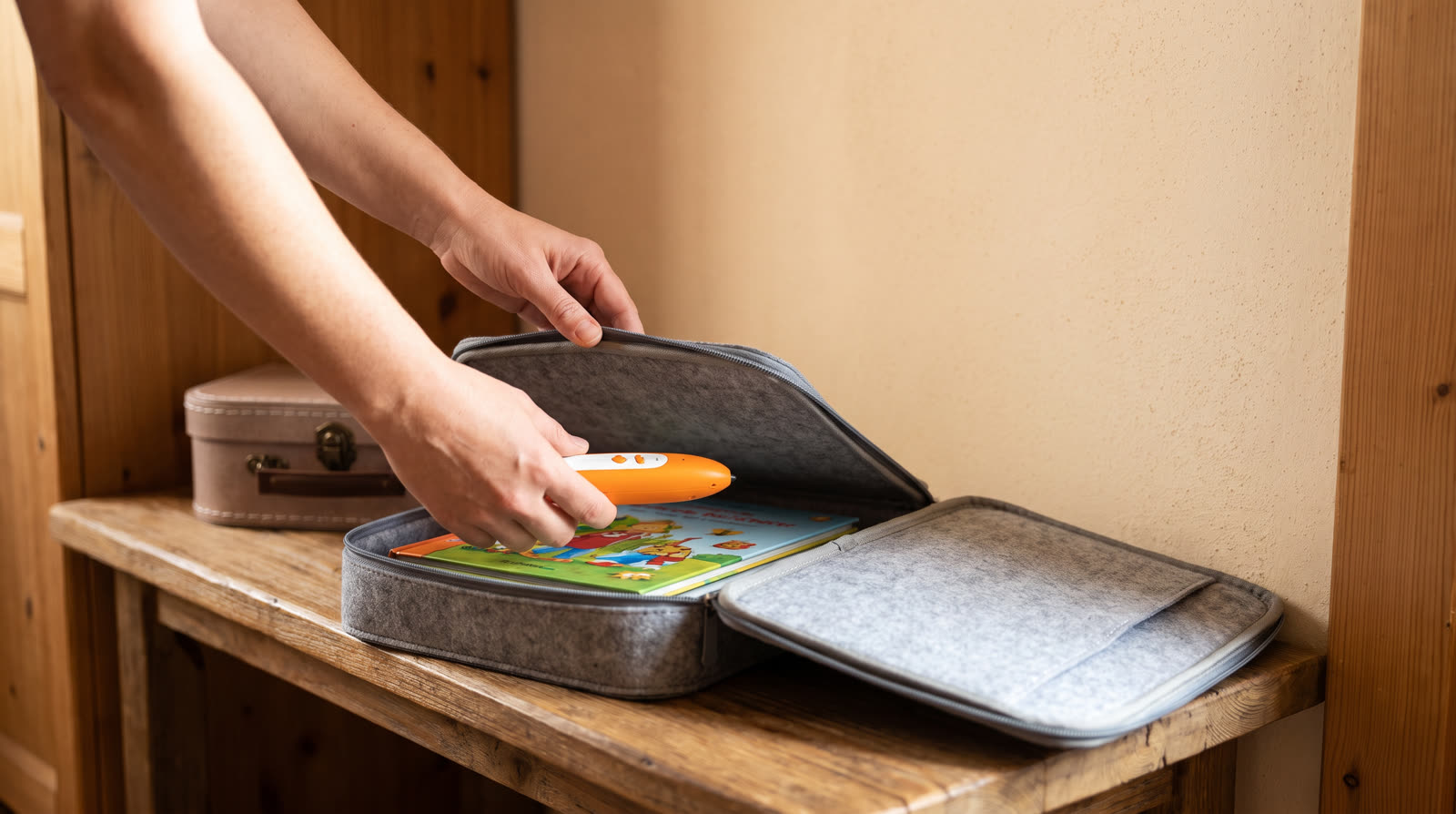
To protect the optical reader tip from accumulating dust and mechanical abrasions during storage, ensure the pen is housed within a dedicated protective pouch, silicone sleeve, or molded travel case rather than tossed loose into a storage bin or backpack pocket. Many professional B2B packaging solutions incorporate a snap-fit cradle or magnetic retaining lid that shields the pen tip from physical contact and particulate deposition. Maintaining a pristine optical window prevents decoding errors, audio playback lag, and misread pages when the interactive book set is redeployed for educational activities in classrooms or retail environments.
ReadGlo project support
Get a Quote
Looking for robust, enterprise-grade talking pens and interactive book manufacturing solutions? Contact ReadGlo today for tailored B2B catalog options.
4. Organizing and Protecting Accompanying Interactive Book Sets
Inspecting Book Pages for Travel-Related Wear and Dot-Code Integrity
Interactive picture books utilized during travel are subject to mechanical bending, edge curling, moisture exposure, and surface abrasion. Before stowing the book set alongside the reading pen, inspect each page thoroughly for structural integrity. Pay particular attention to the invisible dot-code pattern printed across the paper surface; water stains, heavy creases, oily fingerprints, or ripped corners can obscure the micro-dots and prevent the reading pen from recognizing audio trigger coordinates accurately. Flatten curled pages gently between smooth, weighted surfaces if necessary, and discard severely compromised pages or books that fail optical verification tests during pre-storage auditing. Ensuring page flatness directly enhances user engagement and optical tracking fidelity.
Climate-Controlled Book Storage, Stacking, and Environmental Controls
Paper products and specialized coated stocks sensitive to humidity and temperature fluctuations must be stored in dry, well-ventilated environments to prevent degradation. When organizing interactive book sets after travel, stack books flat in manageable quantities or store them vertically on sturdy, flat shelving to prevent spine warping, cover distortion, and page sticking. Avoid storing books in damp basements, uninsulated warehouses, or areas exposed to direct sunlight, as ultraviolet radiation can fade color illustrations, yellow paper stocks, and weaken binding glues. Utilizing acid-free storage boxes or protective plastic sleeves for multi-volume book sets preserves the tactile and visual quality expected in premium educational settings.
5. Firmware, Audio File Management, and Data Integrity
Verifying Audio File Synchronization and Storage Directory Health
Travel scenarios often involve updating, transferring, or downloading new audio files—such as proprietary .OID, .BIN, or MP3 audio packets—to the reading pen's internal flash memory or external TF/MicroSD card. Before placing the pen into inventory storage, connect the device to a host computer or management portal to verify that all audio directories are correctly indexed and that free storage space is properly managed. Corrupted files, incomplete synchronization transfers, or fragmented directory allocations can cause system lockups, boot failures, or erratic audio playback when the devices are subsequently reactivated in educational settings. Regular digital audits prevent operational downtime.
Backing Up Custom Audio Libraries and System Firmware Archives
For educational institutions, language training centers, and commercial distributors managing extensive fleets of reading pens, maintaining an organized digital archive of system firmware and associated book audio files is essential for operational continuity. Before long-term stowing, export a complete backup copy of the pen's internal directory structure and associated book audio packages to a centralized institutional server or secure cloud repository. This proactive data stewardship ensures rapid redeployment and eliminates the need for lengthy re-download sequences when educational programs resume across multiple campuses or distribution hubs.
6. B2B Operational Standards and Professional Escalation Protocols
Establishing Standardized Post-Trip Inspection Checklists and SOPs
Commercial distributors, school districts, and retail partners benefit greatly from establishing formal, documented Standard Operating Procedures (SOPs) for post-travel equipment recovery and inventory stowing. A structured operational checklist—encompassing structural housing inspection, battery state-of-charge verification, optical sensor cleaning, and firmware integrity auditing—minimizes equipment failure rates and maximizes product lifecycles across large deployment fleets. Staff members, warehouse coordinators, and program supervisors should be thoroughly trained to execute these verification steps systematically before returning interactive learning devices to storage, ensuring institutional accountability and quality assurance.
When to Escalate to Manufacturers, Distributors, or Qualified Technicians
While routine cleaning, battery voltage checks, and storage maintenance can be effectively performed by end-users or institutional staff, certain technical anomalies require professional escalation. If a reading pen experiences persistent charging failure, unresolvable boot loops, complete optical decoding failure despite clean lenses, or mechanical hardware damage, institutional operators should immediately halt troubleshooting and contact the manufacturer's technical support division or authorized service partners. Adhering strictly to official warranty protocols and manufacturer guidelines ensures that product compliance, educational safety certifications, and warranty coverage remain fully intact.
Frequently Asked Questions
What is the ideal battery percentage for storing a reading pen after travel?
Industry standards recommend storing rechargeable lithium-ion reading pens at a state of charge between 40% and 60%. Storing at full charge accelerates battery capacity degradation, while storing completely empty risks triggering deep discharge protection.
Can I use standard household cleaning wipes on the optical reader tip?
No. Household cleaning wipes often contain harsh chemicals, alcohol, or abrasives that can damage the delicate optical coating of the CMOS/IR sensor tip. Always use a dry, clean, lint-free microfiber cloth.
What should I do if the reading pen was exposed to rain or moisture during travel?
Immediately power off the device and do not attempt to charge or use it. Wipe away exterior moisture with a dry cloth and allow the device to air-dry completely in a well-ventilated room for at least 24 to 48 hours before testing.
How do damaged interactive book pages affect the reading pen's performance?
Interactive reading pens rely on optical dot-code patterns printed on the book pages. Heavy creases, water damage, or torn corners obscure these micro-dots, causing the pen to fail in triggering the correct audio track.
Who should I contact if a travel-worn reading pen exhibits battery swelling?
In accordance with CPSC safety guidelines, immediately quarantine the device in a fire-safe container, stop all charging and usage, and contact the manufacturer or authorized service channels immediately for safe handling instructions.
Conclusion
Properly storing a reading pen and its accompanying interactive book set after travel is an essential operational practice that protects hardware longevity, optical decoding accuracy, and user safety. By implementing structured post-trip inspections—covering structural housing checks, optimal battery state-of-charge management, optical sensor preservation, climate-controlled environmental storage, and digital audio file verification—B2B distributors, educational institutions, and caregivers can maximize the lifespan of their interactive learning assets. Grounded in CPSC safety principles and professional educational standards, these methodical storage protocols ensure that every reading pen remains ready for high-performance deployment whenever educational programs recommence.
Continue your research
Related reading pen buyer guides
Use these related guides to compare the next product, content, sourcing or channel decision in your project.
- Product SupportB2B Operational Guide: Long-Term Storage and Safety Protocols for Children's Interactive Reading PensRead this guide
- Product SupportComprehensive B2B Guide: How to Protect Children's Reading Pens During Long-Term StorageRead this guide
- Product SupportHow Do I Clean a Reading Pen After Travel? Professional Maintenance and Safety GuideRead this guide
Continue with ReadGlo
See product specifications and request model-specific documentation.
ReadGlo project support
Send Your Requirements
Partner with ReadGlo for reliable, high-quality OEM/ODM interactive educational products. Send your project requirements and custom specifications to our B2B team today.