
Contents
Start with the exact release, not a diagnosis
Distributors should identify the order, device and build, paired book edition, audio and mapping references, and applicable manual before classifying a Quran reading pen support request. Record what was expected and what was observed, then send the case to the owner named in the written support scope. Only describe a repair, replacement or update channel after its availability and conditions have been confirmed for that release.
This guide develops the original distributor after-sales handover task. Its output is a version-linked support record, not a universal repair tutorial or a download library. The product scope here is a pen paired with compatible coded content; it is not arbitrary-paper OCR, dynamic text-to-speech or automatic translation. A book that looks similar is not sufficient evidence of compatibility.
Keep the intended user group, destination and channel in the record, but focus the support conversation on the set actually supplied. Proposed options remain proposed until the responsible parties confirm them.
What is the supported version baseline?
### Order, book, device and file references
Create one baseline for each release offered by the distributor. Start with the purchase-order reference, bundle identifier and the components listed in that order. Add the device model and the build reference supplied through the approved project record, where applicable. If a reference is unavailable, mark it as pending and name the person responsible for obtaining it; do not open the pen to discover an internal identifier.
Next identify the publisher, book title, edition or print revision and the paired content package. Audio files and the data associating printed interaction points with audio need separate references. A commercial name alone may not distinguish two releases. Preserve the dated approval or manifest that connects these components, rather than assuming an older sample establishes the current shipment baseline.
Record the manual title, revision, language and configuration to which it applies. Include the approved accessory list and customer-facing insert version. A photograph can help identify a label or book cover, but does not prove electrical compatibility, permissions or service eligibility. Keep evidence references separate from the observations made during a support case.
### Make the baseline usable at intake
Give customer service a short lookup sheet connecting the sold bundle to its device, book, content and manual references. Keep the fuller approval record with the accountable project team. Staff should be able to identify the applicable release without choosing a specification from a different catalogue entry.
When editions or bundles change, use the existing Quran reorder and edition-control guide for the change decision. This support article only carries the resulting approved baseline into case handling; it does not replace the reorder approval process.
Which manual and demonstration belong in the first-use handover?
### Manual and demonstration language
For first-use guidance, request the manual revision and an approved demonstration matched to the exact device, paired book and audio package; availability, delivery method and operating language must be confirmed. Do not publish a generic button sequence, charging interval or reset procedure as if it applies to every Quran pen. Ask the responsible supplier contact to identify the instructions supported for the selected release.
Separate the language of operating instructions from the language of recitation, translated audio and printed content. A translated insert needs review against the actual controls and warnings, not just a vocabulary check. A demonstration recording also needs permission for its intended use; a public listening source is not automatically a channel-training asset.
### Record first-use observations
Where a demonstration or sample review is agreed, identify the sample, book revision, manual and approved audio used. Record the instructed action, expected response, observed response, language and reviewer. Describe the agreed interaction rather than inventing a control sequence. Note any difference between the demonstration and the proposed commercial release as an open item.
This is a handover exercise, not evidence of learning outcomes or automatic recitation correction. Staff should explain the approved paired-content experience without adding features. The existing Quran quotation checklist helps raise missing manual, language and included-item questions before the commercial scope is agreed. Demonstration arrangements and any sample terms require separate confirmation.
Which observation needs which owner?
| Intake category | Expected response to record | Observed evidence to record | Owner / next decision |
|---|---|---|---|
| Whole device does not respond | Response described in applicable manual: ____ | Order/device/manual references; reported state and time: ____ | Named intake contact: ____; confirm scope before instructions |
| Only part of paired content does not respond | Approved response for book/page/interaction: ____ | Edition and affected locations; response elsewhere if already observed: ____ | Named version/compatibility reviewer: ____ |
| Unexpected audio plays | Approved recording and interaction reference: ____ | Book location, expected and observed content, package version: ____ | Named content/mapping reviewer: ____ |
| Charging or battery concern | Applicable manual and confirmed power-route reference: ____ | Accessory labels and reported condition, only if safe to record: ____ | Named safety/service contact: ____; stop use for concerning damage or heat |
Fill in expected response, observation, evidence reference and agreed owner; the categories do not establish a cause.
Swipe horizontally to view all columns.
Use four intake categories: no response from the whole device, no response on part of the paired content, playback of unexpected content, and charging or battery concerns. These describe observations, not diagnosed causes. A report that a Quran reading pen is not working should become a version-linked case, not an immediate statement that the hardware, book or battery has failed.
For a pen that stopped during use, record the last successful interaction, when the change was noticed, the affected content and any reported event before it. Mark customer statements as reported unless staff have observed them. Do not tell users to try an unverified power supply, flash firmware, change files or dismantle the battery. If there is unusual heat, swelling or visible damage involving the battery or charging area, stop use and seek appropriate safety guidance; do not continue a demonstration to collect evidence.
Complete the worksheet below with the actual case references and named owners. Suggested roles are for planning only: responsibility must be agreed in the support record. Evidence collection should be safe and limited to what the authorised reviewer needs. A short observation note may be more useful than a video containing personal information.
For a Tajweed-labelled book that does not respond, identify its exact publisher, edition, printed layout and authorised paired audio package before asking the assigned owner to review compatibility. The label alone neither confirms matching content nor establishes a hardware fault.
Once the release and unresolved questions are identified, discuss the Quran project scope through the existing scope tool or enquiry route. This is a project discussion, not automatic acceptance of a service case.
Which charging and battery information is confirmed?
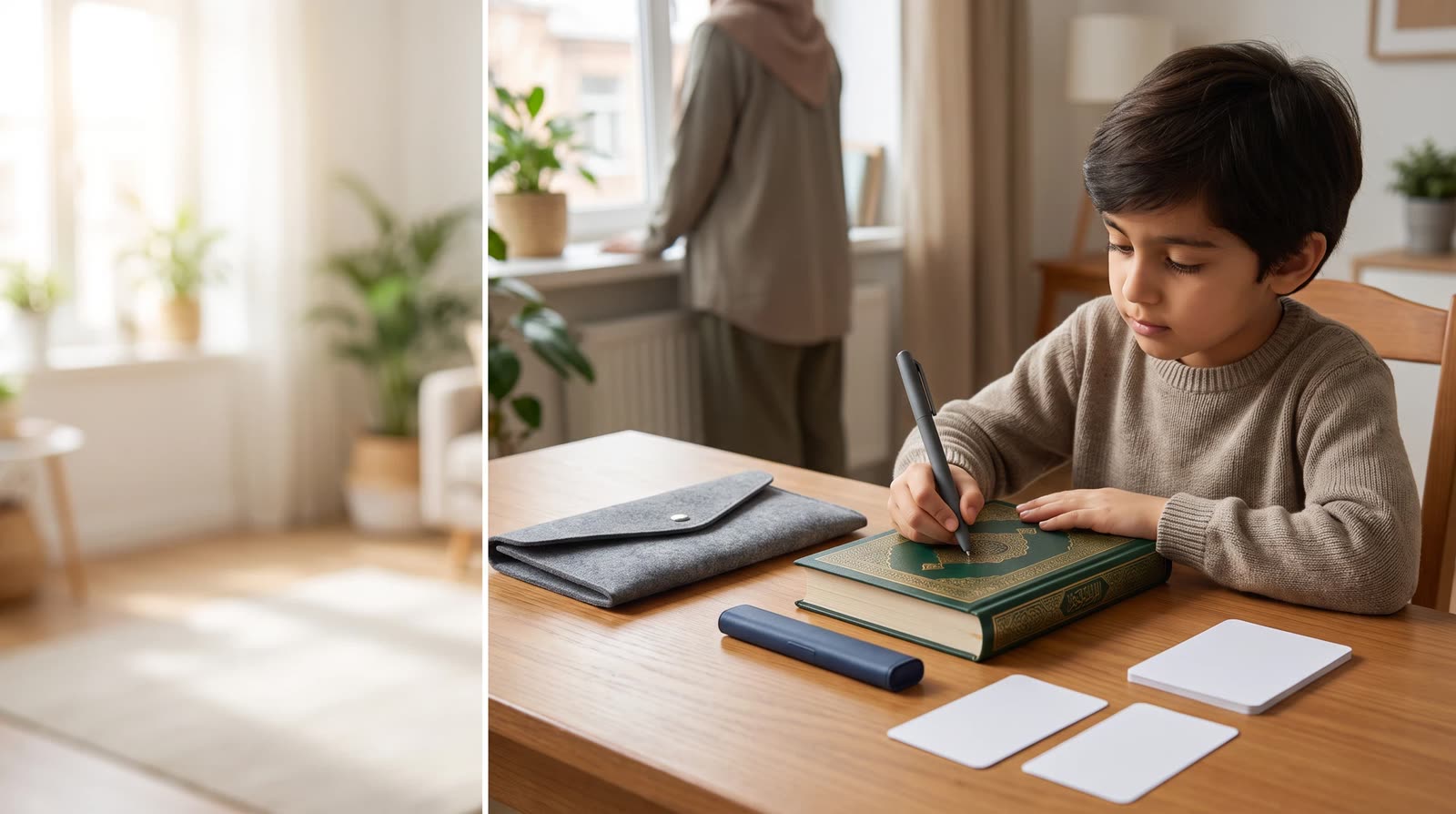
### Distinguish the cable from the power adapter
Verify the charging interface, rated input and approved cable or power-adapter requirements against the exact SKU manual, and confirm separately what the order includes. A cable and an adapter are different items. Neither a product image nor a familiar-looking connector establishes that a substitute is compatible or that an adapter is included in the bundle.
Keep the accessory identifier, applicable manual reference, supplied-item status and responsible confirmation together. If a buyer requests a replacement charger, first identify the sold release and the approved accessory specification. Availability, terms and destination-market suitability remain questions until answered in writing. This article does not recommend a universal charger or assign a generic voltage.
### Keep battery questions within the supported scope
Battery capacity, installation, runtime, replaceability and disposal guidance must be verified for the actual SKU; this guide does not authorise opening the pen or replacing a cell. Do not convert a report of short use time into a claim about battery life or a diagnosis. Record the user's description, the baseline and any applicable manual guidance for review.
Before planning a return or replacement shipment, ask the assigned logistics and safety owners to review the actual battery condition, configuration, destination and route. A service intake decision is not a transport authorisation. The Quran quality, safety and shipment documentation guide covers the wider evidence request. IATA battery guidance is official air-transport background, not proof of this pen's certification or a shipping instruction for a damaged unit.
ReadGlo project support
Discuss the Quran project scope
Complete the observation worksheet, identify the release and bring unresolved manual, accessory or support questions to the existing Quran project scope tool or enquiry route. Project fit and any service scope require confirmation.
Open the related procurement routeAre files, firmware or user tools actually provided?
| Requested item | Release / purpose | Permitted recipient or role | Evidence / channel / status |
|---|---|---|---|
| Audio package | Recording package and paired edition: ____ | Rights-approved recipient: ____ | Source, permitted uses and delivery confirmation: ____ |
| Mapping data | Printed interaction and package reference: ____ | Approved preparation or service role: ____ | Access availability, authority and channel: ____ |
| Firmware | Device/build and applicable change: ____ | Authorised service role, if provided: ____ | Supported source and procedure; pending if unknown: ____ |
| Manual | SKU, revision and operating language: ____ | Agreed distributor or end-user recipient: ____ | Approved copy and delivery method: ____ |
| Content-preparation software | Internal preparation purpose, if applicable: ____ | Named permitted role: ____ | Availability, environment and licence scope: ____ |
| Service or user update tool | Supported device/build and operating system: ____ | Distributor or user permission, if offered: ____ | Access conditions, release channel and status: ____ |
Requested file and software scope: replace every blank with a confirmed answer or a named pending item.
Swipe horizontally to view all columns.
### Identify what the request means
A request for Quran pen data or a download should first identify whether it concerns an audio package, mapping data, firmware, a manual or an update tool; source, release match, permissions, recipient and supported channel remain to be confirmed. These are different deliverables. An audio package holds recordings; mapping data associates the approved printed interactions with content; firmware concerns device operation where applicable. A manual describes supported use rather than supplying an update.
None of these definitions proves that a particular file is separately available or may be loaded by the distributor. The table is a scope-verification worksheet, not a list of included software. Keep the precise release reference and written answer for every requested item, including an explicit pending or not-provided status where relevant.
### Separate preparation from user access
If software is requested, verify whether it is an internal content-preparation tool, a distributor service tool or a user update tool, and confirm the permitted role, device/build, operating system and access conditions. Do not turn an internal production process into a promise of consumer software, an app or self-editing access. A firmware reference in a project manifest does not establish an available public update.
Where an update route is confirmed, record who issues the package, who may receive it, the supported release, authorisation and change note. Any loading instructions must come from that supported route. Do not link unknown audio or firmware files, imply arbitrary imports are supported, or promise migration and unlimited updates.
Use the existing Quran content-licensing and audio-production guide for the asset manifest and permissions review. Here the narrower decision is whether customer service may describe or use a particular delivery channel for an identified support case.
What does the written support scope cover?
### Assign intake, review and remedy authority
Name the distributor's intake contact, the technical or content reviewer, and the person authorised to decide a remedy. These roles may belong to different organisations. Record the available channel, required case references and escalation route before customer-facing support copy is issued. Do not present a proposed responsibility matrix as an existing ReadGlo service commitment.
Repair, replacement, return handling and upgrade availability require an order-linked written scope; a distributor should not promise a remedy before eligibility, responsibility, costs and exceptions are confirmed. Separate any distributor retail policy from supplier support terms and from destination-market obligations requiring local review. A support-planning article cannot establish a warranty duration or override those responsibilities.
### Keep the case and the release record connected
Give each case a dated reference. Preserve the initial observation, baseline, safe evidence, assigned owner, requests for clarification and written outcome. If a reviewer requests a further observation, staff should use only an agreed, safe procedure for that configuration. A conversation about an unknown third-party pen is not evidence that ReadGlo can repair it.
A closure note should distinguish what was confirmed from what remains unresolved. If the outcome changes a manual, accessory, content package or approved customer statement, refer it to the release owner before distributing revised instructions. Keep the prior version traceable but remove superseded guidance from active channel use. This continues the old article's controlled handover principle with a specific support record rather than a generic promise of after-sales coverage.
Which permissions and market checks travel with the handover?
Keep technical acceptance, rights clearance, editorial and language review, and the buyer's religious-content review as separate decisions. For text, translation, layout, illustration, recitation performance and recording, record the rightsholder, territory, medium, language, term, attribution and written permission individually. Ask whether the intended printing, preloading, playback and commercial distribution uses are covered; one approval should not silently stand in for the others.
WIPO's copyright FAQs provide general copyright background, not permission to use a particular recording. Do not claim that ReadGlo already holds the rights or has religious approval. Keep support recipients and any training or update use within the verified asset permissions.
The handover should also identify the actual SKU, intended age group, market and unresolved safety, labelling or shipment questions. Route these to the responsible reviewers instead of treating an illustration, catalogue or earlier sample as proof. This article does not turn a learning set into a therapeutic or examination device.
Before channel release, provide the confirmed baseline, applicable instructions, component list, approved service wording, named contacts and pending-item log. Customer service needs clear permission to describe the approved scope, not a broader claim inferred from the product category.
Frequently Asked Questions
1. What should we record when a Quran pen does not respond to one book?
Record the order, device/build, publisher and book edition, affected interaction locations, audio/mapping references and manual revision. Describe the expected and observed responses, including any response elsewhere already safely observed. Ask the agreed version reviewer to assess the case; do not diagnose hardware failure from this symptom.
2. Can a distributor promise a repair or replacement before checking the support scope?
No. Verify order linkage, eligibility, authorised responsibility, available remedy, costs and exceptions first. The distributor's retail policy and applicable market obligations need their own review. This guide does not promise repair of every pen or free replacement.
3. Which charger details must match the actual pen manual?
Check the charging interface, rated input and approved cable or adapter requirements for the exact SKU. Confirm the supplied-item list separately. Similar connectors do not establish compatibility, and a cable does not prove a power adapter is included. Do not recommend an unverified substitute.
4. Is a Quran audio download automatically licensed for device loading?
No. Confirm the recording and performance permissions, the other affected assets, intended uses and release match. Availability online is not written permission for preloading, training or commercial distribution. Any supported delivery or update route also needs separate confirmation.
5. What is the difference between an audio package, mapping data and firmware?
An audio package contains recordings; mapping data relates approved printed interactions to content; firmware relates to device operation where applicable. They are not interchangeable, and naming them does not establish access. Confirm source, device/build, book version, permitted recipient and supported channel for the requested item.
6. Does ReadGlo provide a public manual or app for every Quran pen configuration?
Do not assume universal availability. Ask whether an approved manual, demonstration or user tool exists for the exact configuration, in which language and through which channel. App access, supported operating systems and update permissions remain requested scope until confirmed.
Conclusion: approve the support wording for one identified set
A useful Quran distributor support handover connects one supplied release to its instructions, observable case categories and agreed owners. Identify the baseline first, record rather than diagnose, verify charging and battery information, and separate file requests from confirmed update access. Publish only the service wording supported by the written order and permissions record.
Send a non-confidential summary of the device, book and content references, destination, requested support route and open questions to [info@readglo.com](mailto:info@readglo.com). The discussion can clarify the appropriate project scope; quotations, service terms, permissions and release decisions still require separate written confirmation.
Continue your research
Related reading pen buyer guides
Use these related guides to compare the next product, content, sourcing or channel decision in your project.
- Distributor GuideHow to Prepare a Quran Reading Pen Retailer and Reseller Information PackRead this guide
- Buyer GuideHow Does Quran Pen Mixed Edition Order Planning Separate Retail, Classroom and Gift Sets?Read this guide
- Distributor GuideWhat Should Distributors Verify Before Importing Quran Reading Pens?Read this guide
Continue with ReadGlo
Review the Arabic-content reading-pen platform for market-specific programs.
ReadGlo project support
Send a non-confidential support-scope summary
Share the device, book and content references, destination and pending support questions. A scope discussion does not approve pricing, repair, replacement, updates, content permissions or release; these need separate written confirmation.
Open the related procurement route